FM Mobile Banking
FM Mobile Banking is ideal for people on the go. Safely and securely check balances and make transfers between accounts directly from your phone. Not sure where the closest ATM or Branch is? No problem, its listed right there on your phone for easy reference!
How to Enroll in Mobile Banking:
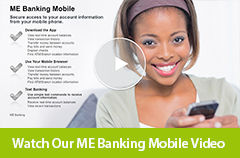
FM Mobile Banking is available to all of our Online Banking customers. To enroll, simply follow the steps below or watch our Video Tutorials (iPhone owners click here, other smart phone owners click here) at the Online Education Center. Before enrolling, you must first be enrolled in E-Banking. Enroll in E-Banking
- Login to your E-Banking account.
- Click the "Options" button on the top menu.
- Scroll down the page to the section titled, Mobile Banking.
- Click the “Edit” button to enter the required information and click “Submit” to enroll in Mobile Banking.
- You will be sent a text message containing a “One Time Link & Password”. You will use the link to access the Mobile Banking Login page.
- Enter your Online Banking Access ID & the PIN you designated upon enrollment to login.
Now you can bank from anywhere using your mobile phone!
What you need to know:
Mobile Banking requires a mobile device with valid phone number, a WAP browser with access to the Internet and the ability to receive SMS Text messages. If your mobile device cannot link to the Internet directly from a Text message, then you can manually use the link provided in the Mobile Banking section of your Online Banking Account. Visit our Online Education Center to learn more about Enrolling.
Phone Requirements:
- The browser loaded on the mobile device must support .xhtml language
- The browser must be set to allow per-session cookies
- The carrier must offer a true version of mobile web access. Downloadable applications required to run carrier browser access will not work.